
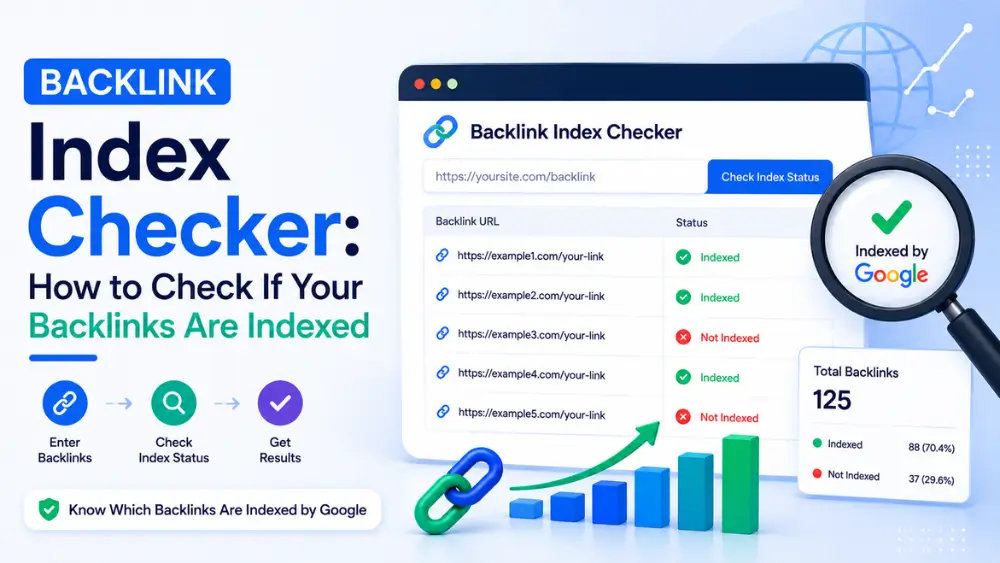
To check if a backlink is indexed, search site: followed by the exact URL in Google — if the page appears, it’s indexed. If you own the site, Google Search Console’s URL Inspection tool gives a definitive answer along with the reason if it isn’t. For checking many backlinks at once, a bulk index checker tool saves time over manual one-by-one searches.
Before spending time trying to speed up indexing, or paying for an indexing tool, it’s worth confirming whether a backlink is actually unindexed in the first place. This guide covers every reliable method for checking index status — from a single URL to large batches — along with the false negatives that trip people up.
This post pairs well with our broader guides: How to Index Backlinks covers general indexing methods, and How to Get Backlinks Indexed by Google covers Google-specific troubleshooting once you’ve confirmed a problem exists.
Method 1: The site: Search Operator
The simplest and most direct method: type site: immediately followed by the full URL (no space) into Google’s search bar.
- If the page appears in results, it’s indexed.
- If nothing appears, it likely isn’t indexed — though see the false negatives section below before concluding this for certain.
This method works for checking backlinks on any domain, including ones you don’t own, which makes it the most broadly useful single technique.
A note on the cache: operator: Older SEO guides often recommend the cache: operator to check indexing status. Google officially removed this operator in early 2024, and it no longer returns results. If you need to view a historical snapshot of a page, use the Wayback Machine (archive.org) instead — but this doesn’t reflect current indexing status.
Method 2: Google Search Console’s URL Inspection Tool
If you own the site hosting the backlink (relevant for checking your own outbound placements or your own pages that others link to), Search Console gives a definitive, detailed answer:
- Open Search Console for the property.
- Paste the URL into the URL Inspection bar at the top.
- Review the result — it will explicitly state whether the URL is indexed, and if not, the specific reason (noindex tag, crawl anomaly, duplicate content, etc.).
This is the most reliable method available, but it only works for domains where you have verified Search Console access — which rules out checking most third-party backlinks.
Method 3: Bulk Index Checker Tools
Checking backlinks one at a time via site: search becomes impractical once you’re managing dozens or hundreds of links — for example, after a large guest posting or directory submission campaign. Bulk index checker tools solve this by accepting a list of URLs and returning indexed/not-indexed status for all of them at once, saving significant manual effort.
When choosing one, the same evaluation criteria apply as with indexing tools generally — reasonable batch limits, no excessive signup requirements, and transparent reporting. We cover this in more depth in Best Backlink Indexer Tools: How to Choose the Right One, since many bulk indexing tools also offer status checking as a companion feature.
Method 4: Browser Extensions
Several SEO browser extensions display indexing-related metadata (such as meta robots tags) directly on the page you’re viewing, which helps you quickly spot a noindex tag without digging through source code manually. This is useful for a quick technical check but doesn’t tell you definitively whether Google has indexed the page — only whether it’s technically blocked from being indexed.
Understanding False Negatives
Before concluding a backlink isn’t indexed, rule out these common false-negative scenarios:
- Very recent publication — A page published in the last few hours may simply not have propagated through Google’s systems yet, even if indexing is imminent.
- URL variations — Checking
https://example.com/pagewhen the indexed version ishttps://example.com/page/(with a trailing slash) or a different protocol/subdomain can produce a false “not indexed” result. Always check the exact URL as it appears on the linking page. - Personalized or regional search results — In rare cases, indexing can appear inconsistent across different Google data centers or regions, though this is uncommon for most standard content.
- Search Console propagation delay — Even after a page is indexed, Search Console’s reporting can lag slightly behind real-time status.
What to Do If a Backlink Isn’t Indexed
Once you’ve confirmed a genuine indexing gap, the next steps depend on whether you control the hosting site:
- If you own the site: Check Search Console’s Page Indexing report for the specific exclusion reason, and follow the detailed troubleshooting steps in How to Get Backlinks Indexed by Google.
- If it’s a third-party backlink: Use a bulk indexing tool to send discovery signals. Free Backlinks Indexer handles batches of up to 10 URLs with no account needed — historically around 90% get picked up within a day, based on what we’ve tracked.
How Often Should You Re-Check?
Indexing status isn’t necessarily permanent — pages can be indexed, then later dropped if Google’s quality assessment changes, or if the hosting site experiences technical issues. For backlinks you consider important to your SEO profile, a periodic re-check (for example, monthly for high-value links) is a reasonable practice rather than a one-time check-and-forget approach.
Glossary: Key Terms in This Guide
site:operator — A Google search operator that restricts results to a specific domain or URL, commonly used to check indexing status.- URL Inspection Tool — The Search Console feature that reports a specific URL’s indexing status and, if applicable, the reason it’s excluded.
- False negative (indexing check) — A case where a check appears to show a page isn’t indexed, when in fact it is (or will be shortly), often due to URL formatting or propagation delay.
- Bulk index checker — A tool that checks indexing status for many URLs in a single request, rather than one at a time.
Frequently Asked Questions
What’s the fastest way to check if a backlink is indexed?
The site: search operator, followed by the exact URL, is the fastest single-URL method and works for any public page, including ones you don’t own.
Can I still use the cache: operator to check indexing?
No. Google officially removed the cache: operator in early 2024, and it no longer returns results. Use the site: operator instead for indexing checks, or the Wayback Machine for historical page snapshots.
Why does site: show no results even though I think the page is indexed?
This is often a false negative caused by checking a slightly different URL variation (missing trailing slash, wrong protocol) than the one actually indexed, or checking too soon after publication. Double-check the exact URL used in the actual backlink.
Is there a way to check many backlinks at once instead of one at a time?
Yes, bulk index checker tools accept a list of URLs and return status for all of them in a single request, which is far more practical than manual site: searches when managing dozens of links.
Does Search Console show indexing status for backlinks on other people’s websites?
No. Search Console only provides indexing data for properties you’ve verified ownership of. For third-party backlinks, the site: operator or a third-party bulk checker are the only options.
How often should I re-check whether a backlink is indexed?
For high-value backlinks, a periodic check (monthly is reasonable) is worthwhile, since indexing status can change over time — a page can be dropped from the index later even after being indexed initially.
Key Takeaways
- The
site:search operator is the quickest way to check any single backlink’s index status, on any domain. - The
cache:operator no longer works — it was removed by Google in 2024. - Search Console’s URL Inspection tool gives definitive answers, but only for sites you own.
- Bulk checker tools are worth using once you’re managing more than a handful of backlinks.
- Always rule out false negatives (URL formatting, recent publication) before concluding a backlink is genuinely unindexed.