
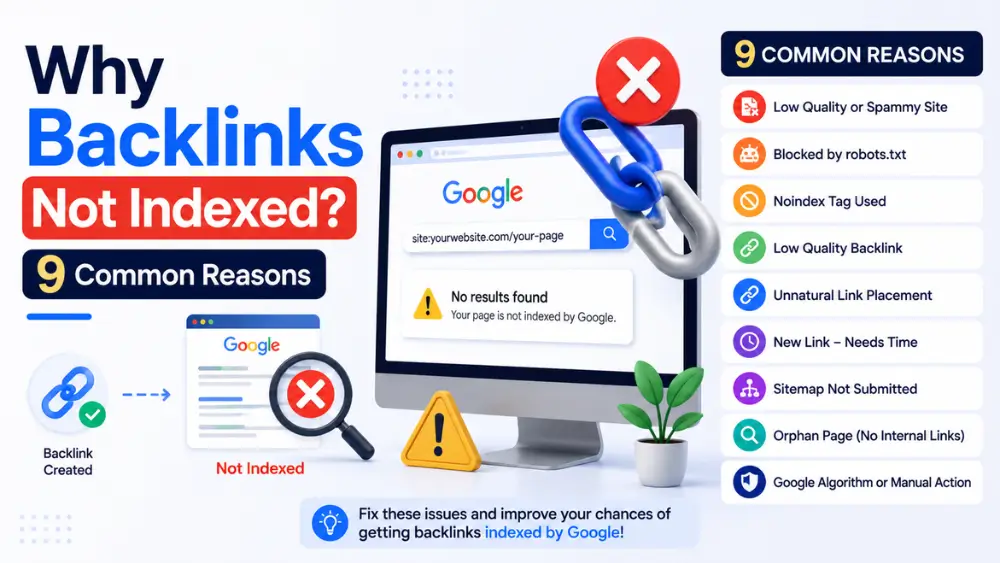
Backlinks most commonly fail to get indexed due to a noindex tag, a robots.txt block, low crawl budget on the hosting domain, orphan pages with no internal links, thin or duplicate content, canonical tag conflicts, placement on a spammy or penalized domain, JavaScript rendering issues, or simply not enough time having passed since publication. Diagnosing which applies determines the correct fix.
You’ve built the backlink. You’ve confirmed it’s live. But it still isn’t showing up when you search for it in Google. Before assuming something is broken, it helps to work through the actual list of causes systematically — most indexing failures trace back to one of a fairly small set of root causes.
This guide is the diagnostic companion to two of our other posts: How to Get Backlinks Indexed by Google covers the fix-it checklist, and Backlink Index Checker covers how to confirm indexing status in the first place. Here, we focus specifically on the “why.”
Reason 1: The Page Has a Noindex Tag
What it is: A meta robots tag (<meta name="robots" content="noindex">) explicitly tells search engines not to index the page, regardless of any other factor.
Why it happens: Some websites — particularly guest post platforms, forums, and certain directory listings — apply blanket noindex rules to specific sections, sometimes unintentionally through a CMS setting rather than a deliberate choice.
How to identify it: View the page’s source code and search for “noindex,” or use a browser extension that surfaces meta robots tags directly.
How to fix it: If you don’t own the site, you’ll need to contact the site owner and request the tag be removed. No indexing tool, submission method, or amount of waiting can override an explicit noindex directive — it’s a hard technical block, not a discovery issue.
Reason 2: The Page Is Blocked by Robots.txt
What it is: The site’s robots.txt file disallows crawler access to the URL path containing your backlink.
How to identify it: Visit domain.com/robots.txt and check for Disallow rules matching the page’s path.
How to fix it: As with noindex tags, this requires the site owner to adjust their robots.txt file. It cannot be bypassed externally.
Reason 3: Low Crawl Budget on the Hosting Domain
What it is: Google allocates a limited amount of crawling attention to each domain based on its size, authority, and update frequency. Smaller, newer, or lower-authority sites simply get crawled less often, which delays discovery of every page on that domain — including the one hosting your backlink.
How to identify it: If the hosting domain is new, has few other indexed pages, or updates infrequently, this is a likely contributing factor.
How to fix it: This is largely outside your direct control if you don’t own the site. A bulk indexing tool (covered in How to Index Backlinks) can help by sending an explicit discovery signal that doesn’t rely on the domain’s natural crawl frequency.
Reason 4: Orphan Pages With No Internal Links
What it is: If the page hosting your backlink isn’t linked to from anywhere else on that site, crawlers have no path to discover it through normal navigation.
How to identify it: Check whether the page is reachable through the site’s main navigation, category pages, or other internal links — or whether it was published without any internal linking at all (common with some directory and guest post sites).
How to fix it: If you have any relationship with the site owner, request they add at least one internal link to the page from elsewhere on the site. Otherwise, a bulk indexing tool can help compensate for the missing internal signal.
Reason 5: Thin or Duplicate Content on the Hosting Page
What it is: Google is less likely to prioritize crawling, or to keep indexed, pages it judges as low-value — very short content, auto-generated text, or content that closely duplicates other pages (a known pattern on some low-quality directory and guest-post-for-fee sites).
How to identify it: Read the actual page hosting your backlink. If it’s noticeably thin, generic, or reads as duplicated/spun content, this is a likely factor.
How to fix it: Unfortunately, this generally isn’t fixable by the link builder — it depends entirely on the hosting site’s content quality. This is one of the strongest arguments for prioritizing genuinely well-written placements over low-effort, high-volume link building.
Reason 6: Canonical Tag Points to a Different URL
What it is: A canonical tag tells Google which version of a page is the “preferred” one when duplicates or near-duplicates exist. If the page hosting your backlink has a canonical tag pointing elsewhere, Google may index that other URL instead — effectively bypassing the page your link is actually on.
How to identify it: View the page source and look for <link rel="canonical" href="...">. If the URL specified differs meaningfully from the page you’re checking, this is likely the cause.
How to fix it: This requires a site-owner-level fix. If you don’t control the site, there’s no external workaround — this is a case where an indexing tool’s discovery signal won’t resolve the underlying conflict.
Reason 7: The Link Was Placed on a Spammy or Penalized Domain
What it is: If the hosting domain has a history of manipulative SEO practices, spam, or has been algorithmically or manually penalized, Google may deprioritize crawling and indexing its pages broadly.
How to identify it: Check whether other pages on the same domain appear indexed via a site:domain.com search (see our backlink index checker guide for the full method). If very few or none of the site’s pages are indexed, this points to a domain-wide issue rather than anything specific to your link.
How to fix it: There isn’t a reliable fix from the link builder’s side. If a domain is broadly unindexed, it’s generally worth reconsidering that placement for future link building rather than repeatedly trying to force indexing.
Reason 8: JavaScript Rendering Issues
What it is: Googlebot can render JavaScript, but rendering happens in a separate, sometimes delayed processing step compared to plain HTML crawling. If your backlink is injected via JavaScript rather than present in the initial HTML, indexing (and discovery of the link itself) can be significantly delayed, or in some misconfigurations, missed entirely.
How to identify it: View the page’s source code directly (not the rendered DOM in browser dev tools) and check whether the content and link are present in the raw HTML. If they only appear after JavaScript execution, this is a contributing factor.
How to fix it: This is a technical issue for the hosting site to resolve, typically by implementing server-side rendering or pre-rendering for crawlers. Not something an indexing tool or the link builder can fix externally.
Reason 9: Not Enough Time Has Passed
What it is: Sometimes there’s no underlying problem at all — the page is simply new, and hasn’t yet been crawled and processed through Google’s normal pipeline.
How to identify it: Check how recently the page was published. If it’s within the last 24–48 hours, some delay is entirely normal, especially on lower-authority domains.
How to fix it: Give it time. If it’s still not indexed after a week or two, revisit the other eight reasons above rather than continuing to wait indefinitely.
Self-Diagnosis Checklist
Work through these in order — this is roughly the order of likelihood and ease of checking:
| Step | Check | If Yes, This Is Likely Your Cause |
|---|---|---|
| 1 | Was the page published in the last 48 hours? | Reason 9 (just needs time) |
| 2 | Does the page source contain “noindex”? | Reason 1 |
| 3 | Does robots.txt block the URL path? | Reason 2 |
| 4 | Does the canonical tag point elsewhere? | Reason 6 |
| 5 | Is the backlink only visible after JavaScript renders? | Reason 8 |
| 6 | Are few or no other pages on this domain indexed? | Reason 7 (domain-wide issue) |
| 7 | Is the page hard to find via the site’s own navigation? | Reason 4 |
| 8 | Is the page’s content thin, generic, or duplicated? | Reason 5 |
| 9 | None of the above, and the domain is new/small? | Reason 3 (crawl budget) |
What You Can Actually Fix vs. What You Can’t
It’s worth being realistic about which of these nine reasons are within your control:
- Fixable by you (indirectly), via an indexing tool: Reasons 3 and 4 (crawl budget, orphan pages) — a bulk indexing tool’s discovery signal directly addresses these.
- Fixable only by the site owner: Reasons 1, 2, 5, 6, and 8 (noindex, robots.txt, thin content, canonical conflicts, JavaScript issues) — you’ll need to request a fix or accept the placement won’t index.
- Not really fixable — reconsider the placement: Reason 7 (spammy/penalized domain).
- Just requires patience: Reason 9.
For the reasons an indexing tool can genuinely help with, Free Backlinks Indexer is worth a shot — up to 10 URLs per batch, no account, and a tracked success rate that’s held close to 90%, with most submissions clearing inside a day. For a full breakdown of tool options, see Best Backlink Indexer Tools, and if speed specifically is your priority, see How to Index Backlinks Fast in Google.
Glossary: Key Terms in This Guide
- Rendering (JavaScript rendering) — The process by which a browser or crawler executes JavaScript to produce the final displayed content of a page, distinct from the raw HTML source.
For definitions of noindex tags, canonical tags, crawl budget, and orphan pages, see the full glossary in How to Index Backlinks.
Frequently Asked Questions
What’s the most common reason backlinks don’t get indexed?
Low crawl budget on the hosting domain (particularly for newer or smaller sites) and simple time delay are the two most frequent, generally benign causes. Noindex tags and robots.txt blocks are less common but represent hard blocks when they do occur.
Can I tell which of the 9 reasons applies without technical knowledge?
Most can be checked without coding knowledge — viewing page source for noindex/canonical tags, checking robots.txt in a browser, and judging content quality are all accessible manual checks. The self-diagnosis checklist above is designed to be usable without a technical background.
If a backlink isn’t indexed, does that mean the link has no value at all?
For SEO ranking purposes specifically, an unindexed page generally isn’t passing link authority yet. However, it may still occasionally drive direct referral traffic from people clicking it on the hosting page, independent of its indexing status.
Should I remove or replace a backlink that never gets indexed?
If you’ve ruled out simple time delay and confirmed a hard block (noindex, robots.txt, penalized domain) that the site owner won’t fix, it’s reasonable to prioritize future link-building efforts elsewhere rather than repeatedly trying to force indexing on that specific placement.
Can thin content on the hosting page really block indexing even if my link itself is fine?
Yes. Google’s indexing decision is based on the overall page, not the individual links within it. A well-placed, relevant link on a low-quality page can still fail to get indexed because of the page’s own content quality, not anything related to the link itself.
Key Takeaways
- Most indexing failures come down to one of nine common, diagnosable causes.
- Some causes (crawl budget, orphan pages) can be improved with an indexing tool; others (noindex, robots.txt, thin content, canonical conflicts, JavaScript issues) require the site owner to fix.
- Use the self-diagnosis checklist to identify your specific cause before assuming a general “it’s just slow” explanation.
- If the domain itself is broadly unindexed or penalized, it’s often better to focus future link building elsewhere.