
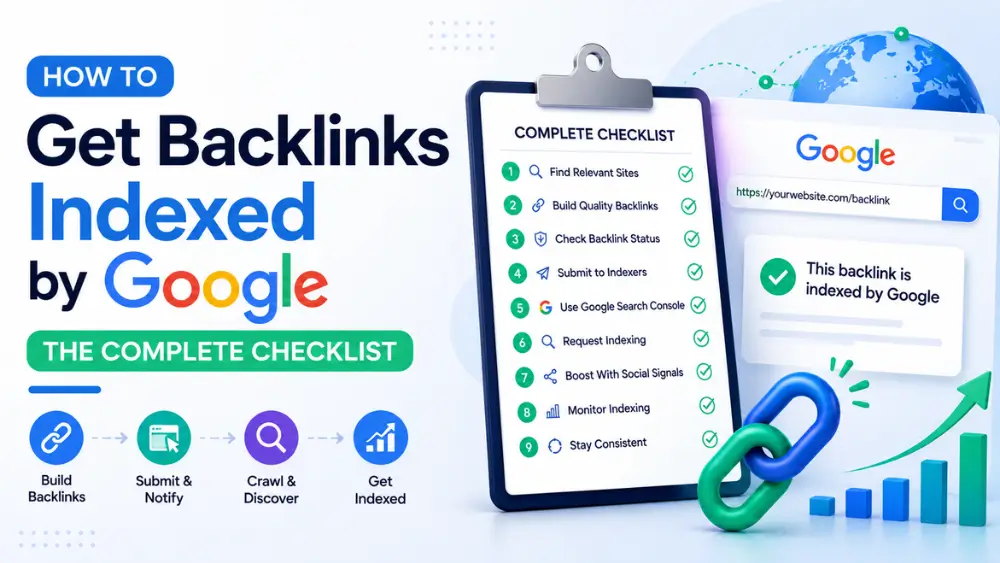
To get a backlink indexed by Google, first confirm it isn’t already indexed using a site: search, then check for noindex tags or robots.txt blocks on the hosting page, review Google Search Console’s Page Indexing report if you own the site, improve internal linking, and — for backlinks on sites you don’t control — use a bulk indexing tool to send discovery signals. Most issues resolve within a few days once the underlying cause is identified.
Getting a backlink is only half the job. Getting Google specifically to crawl and index the page it sits on is what actually makes that link count toward your SEO. If you’ve confirmed a backlink exists but it isn’t showing up in Google, this guide walks through exactly what to check, in order, using Google’s own systems and terminology.
This is a companion piece to our broader guide, How to Index Backlinks, which covers general indexing methods across search engines. Here, we go deeper specifically into Google’s crawling and indexing infrastructure — Search Console, crawl budget, and the exact error states Google reports.
How Google’s Indexing Pipeline Actually Works
Before troubleshooting, it helps to understand the sequence Google follows for every URL it encounters:
- Discovery — Google becomes aware a URL exists, typically via a link from another page it already crawls, or via an XML sitemap submission.
- Crawling — Googlebot visits the page, downloads its content (including rendering JavaScript, if present), and evaluates it.
- Processing & Indexing — If the page passes Google’s quality and technical checks, it’s added to the index.
- Ranking — Once indexed, the page becomes eligible to appear in search results for relevant queries.
A backlink can get “stuck” at any one of these four stages. The checklist below is organized in the order you should investigate them.
Step 1: Confirm the Backlink Actually Isn’t Indexed
Search site: followed by the exact URL in Google. If nothing appears, it isn’t indexed yet. Keep in mind indexing status can take a little time to reflect in search after a change, so don’t assume a problem exists if the page was published very recently (within the last day or two).
Step 2: Check for a “Noindex” Tag
This is one of the most common — and most overlooked — reasons a page never gets indexed. Some websites (especially guest post platforms, forums, and directories) apply a blanket noindex tag to certain sections of their site, sometimes without realizing it.
To check: view the page’s source code (Ctrl+U or Cmd+Option+U in most browsers) and search for noindex, or use a browser extension that displays meta robots tags directly. If you don’t own the site, you’ll need to contact the site owner — no indexing tool, of any kind, can override an explicit noindex instruction. This is a hard technical block, not a discovery/priority issue.
Step 3: Check robots.txt Isn’t Blocking the Page
A site’s robots.txt file might disallow crawlers from accessing the section your backlink is on. Check this by visiting domain.com/robots.txt and looking for Disallow rules matching the URL path. As with noindex tags, this requires the site owner to fix if you don’t control the domain.
Step 4: Review Google Search Console’s Page Indexing Report (For Pages You Own)
If the backlink is on a page you own, Search Console’s Page Indexing report (under the “Indexing” section) tells you precisely why a page isn’t indexed. The most common statuses:
| Status | What It Means | Typical Fix |
|---|---|---|
| Crawled – currently not indexed | Google visited the page but chose not to index it, usually over quality or duplication concerns | Improve content depth/uniqueness, consolidate thin pages |
| Discovered – currently not indexed | Google knows the page exists but hasn’t crawled it yet — a crawl budget/priority issue | Add internal links, resubmit via URL Inspection |
| Excluded by ‘noindex’ tag | An explicit noindex directive is present | Remove the tag if unintentional |
| Duplicate, Google chose different canonical | Google decided another URL better represents this content | Fix canonical tags or differentiate the content |
| Page with redirect | The URL redirects elsewhere, so the original isn’t indexed directly | Confirm the redirect target is the intended indexed page |
| Soft 404 | Google treats the page as an error page despite a 200 status code | Ensure the page has substantive, unique content matching its apparent purpose |
Step 5: Check the Crawl Stats Report
Search Console’s Crawl Stats report (under Settings) shows how often Googlebot is visiting your site overall, and whether crawl requests are trending up, down, or flat. If your entire site shows very low crawl frequency, that’s a domain-wide signal affecting every page, including the one hosting your backlink — not something a single URL fix will solve on its own.
Step 6: Use “Request Indexing” (For Pages You Own)
The URL Inspection tool in Search Console lets you directly request a crawl for a specific page. This is fast but rate-limited, so it’s best reserved for high-priority pages rather than bulk use.
Note on Google’s Indexing API: Google also offers a separate Indexing API, but it’s officially restricted to pages marked up with JobPosting or BroadcastEvent (livestream) structured data — it is not a general-purpose tool for arbitrary content, despite some articles suggesting otherwise. For most sites, URL Inspection remains the correct manual submission method.
Note on IndexNow: You may also come across the IndexNow protocol, which lets you instantly notify participating search engines of new or updated URLs. As of 2026, Google does not support IndexNow — it’s adopted by Bing, Yandex, Naver, and a few others, but has no effect on Google indexing specifically. It can still be worth enabling for those other engines, but don’t rely on it to solve a Google indexing problem.
Step 7: Improve Internal Linking to the Page
Google prioritizes crawling pages that are well-connected internally. If it’s your own site, add links to the backlink-hosting page from your homepage, navigation, or other frequently-crawled pages. This single change often resolves “Discovered – currently not indexed” issues, since it raises the page’s perceived priority.
Step 8: For Third-Party Backlinks, Use a Bulk Indexing Tool
Steps 4 through 7 only work if you own the site. But most valuable backlinks — guest posts, directories, resource pages — sit on domains you don’t control, so you can’t touch their Search Console, crawl settings, or internal linking.
This is where a dedicated indexing tool earns its keep. Free Backlinks Indexer takes up to 10 URLs per batch, doesn’t ask for an account, and simply pushes those pages toward faster discovery in the background. Tracked submission data puts the historical indexing rate around 90%, most often landing within a day.
Important caveat: this won’t override a hard noindex tag or robots.txt block (Steps 2–3) — no tool can. But for links simply stuck in a slow crawl queue, it’s often the fastest fix available when you don’t control the hosting domain. If you’d like to compare this against other tool options and pricing models first, see Best Backlink Indexer Tools: How to Choose the Right One.
Step 9: Check the Page Quality Itself
Google is less likely to index — or keep indexed — pages that are thin, duplicate, or offer little unique value. If a backlink sits on a low-quality page (e.g., a spun article or a near-duplicate of another page), no indexing method will reliably work until the underlying content improves. Worth remembering when choosing where to build backlinks in the first place.
Step 10: Re-Check After a Few Days
Indexing isn’t always immediate, even after corrective action. Give it 24–72 hours after submitting or fixing an issue, then re-check with the site: search method from Step 1.
Quick Reference: Troubleshooting Table
| Symptom | Likely Cause | Fix |
|---|---|---|
Page never appears in site: search | Not yet crawled | Request indexing / use a bulk tool |
| GSC shows “Excluded by noindex tag” | Page or section marked noindex | Contact site owner to remove tag |
| GSC shows “Discovered – not indexed” | Crawl budget / low priority | Improve internal links, resubmit |
| GSC shows “Crawled – not indexed” | Content quality concerns | Improve or consolidate content |
| GSC shows “Duplicate, different canonical” | Canonicalization conflict | Fix canonical tags, differentiate content |
| Page indexed briefly, then disappears | Quality drop or duplicate detected later | Review content uniqueness/value |
| Whole site crawled infrequently | Domain-wide crawl budget issue | Improve overall site authority, fix technical SEO |
Glossary: Key Terms in This Guide
- Page Indexing report — The Search Console report showing indexing status and reasons for exclusion for every known URL.
- Crawl Stats report — A Search Console report showing Googlebot’s crawl frequency and behavior across your site.
- Soft 404 — A page that returns a normal “success” status code but that Google’s systems interpret as an error or empty page.
- Indexing API — A Google API limited to JobPosting and BroadcastEvent structured data; not a general indexing solution.
- IndexNow — A protocol supported by Bing, Yandex, and others (but not Google) for instant URL change notifications.
For core terms like crawl budget and canonical tags, see the full glossary in How to Index Backlinks.
Frequently Asked Questions
How long does Google typically take to index a new backlink?
It varies widely, from a few hours on high-authority domains to several weeks on new or low-authority sites. Using Search Console (for pages you own) or a bulk indexing tool (for third-party pages) tends to shorten this window.
Can I force Google to index a page?
Not exactly — you can only send stronger signals, such as requesting indexing, improving internal links, or using submission tools, that increase the likelihood and speed of indexing. Google always makes the final decision based on its own crawling priorities and quality assessment.
What if the site owner won’t fix a noindex tag on my backlink?
If a page is explicitly excluded via noindex, no third-party tool can override that. In this case, it may be worth requesting a different placement or link on the same site instead.
Is submitting the same backlink multiple times harmful?
Occasional submissions to different tools aren’t harmful, but repeatedly resubmitting the exact same URL in quick succession doesn’t speed things up and can resemble spam behavior. Space out resubmissions by at least a few days.
Does Google support IndexNow?
No. As of 2026, Google does not support the IndexNow protocol, despite testing it since 2021. Google relies on its own crawling infrastructure, XML sitemaps, and Search Console’s URL Inspection tool instead.
What’s the difference between “crawled” and “indexed” in Search Console?
“Crawled” means Googlebot visited and read the page. “Indexed” means the page was subsequently added to Google’s index. A page can be crawled without being indexed, most often due to quality, duplication, or canonicalization issues.
Key Takeaways
- Most Google indexing issues trace back to one of a handful of causes: a noindex tag, a robots.txt block, low content quality, canonicalization conflicts, or a slow crawl queue.
- Search Console’s Page Indexing report will tell you exactly which of these applies — always check it first for pages you own.
- For third-party backlinks you don’t control, a bulk indexing tool is usually the fastest practical option once you’ve ruled out hard technical blocks.
- Google does not support IndexNow — don’t rely on it for Google-specific indexing issues.